- 신영선
- 기본 과정
- 힉스필드
역대급 AI 영상 퀄리티 모델 씨댄스 2.5
그냥 ai 영상 모델은 이거 쓰세요.
- 릴스 영상을 저장 또는 공유하기로 기록 해놓습니다.
- DM으로 받은 링크를 카톡으로 옮겨 놓습니다.
- PC로 접속해서 AI 즐겨찾기 폴더를 만들어 저장해놓습니다.
- 바로 사용을 해봅니다. 절대 미루지 마세요. (⭐ 제일 중요)
1. PDF 자료
https://docs.google.com/document/d/1QKEHduAqB1nLIWujnT_8dg1yM1ofBWHJyxsGZNr7KOM/edit?usp=sharing
2. 힉스필드 AI 영상 제작 가이드북
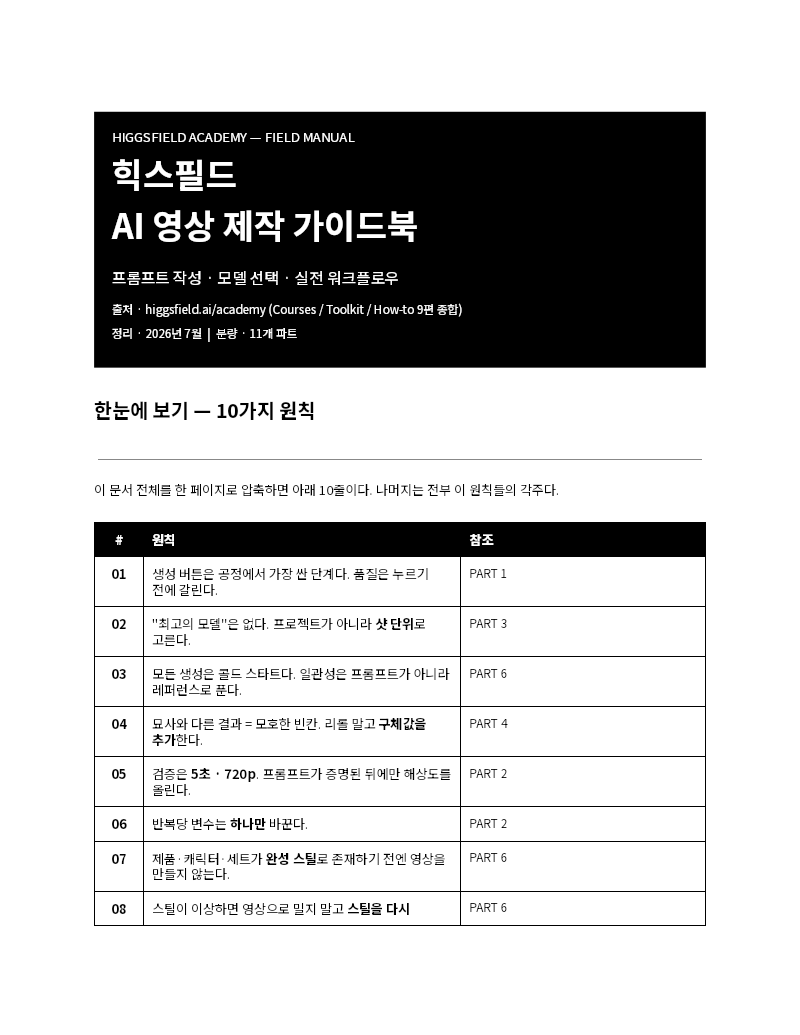
🔗 힉스필드 AI 영상 제작 가이드북 열기 (Google Docs)
3. 프롬프트
이미지 제작 프롬프트 (GPT 이미지2 모델 사용)
- 내 이미지나 인물의 이미지를 첨부해 준 뒤 아래 프롬프트를 입력합니다.
- A photo showing a person standing on the wing of an airplane against a unique sunset sky, framed by the cabin window—creating the illusion that they are piloting the aircraft.
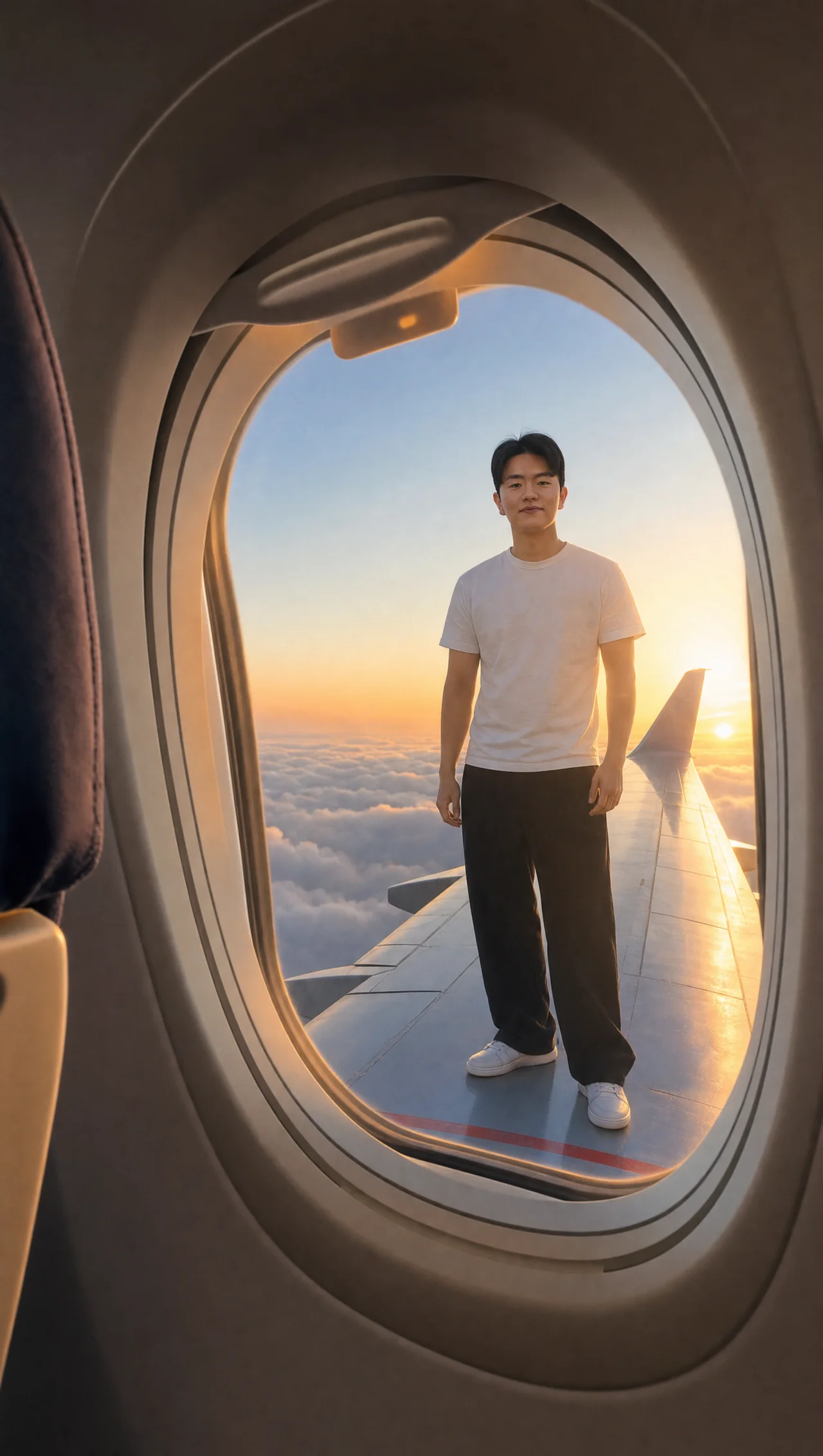
영상 제작 프롬프트 (seedance 2.5 모델 사용)
- 위 GPT 이미지2 모델로 생성한 이미지를 첨부해 준 뒤 아래 프롬프트를 입력합니다.
- The man in the image is standing outside the airplane window—viewed from a second-person perspective, similar to the reference video—performing a backflip off the wing and then freely jumping down from beneath it.
<모든 프롬프트는 영문 프롬프트를 사용하는 것이 비교적 결과물 퀄리티가 좋게 나옵니다!>
이런 자료를 이메일로 받아보시겠습니까? 무료 강의 안내도 같이 갑니다.
무료로 신청하기